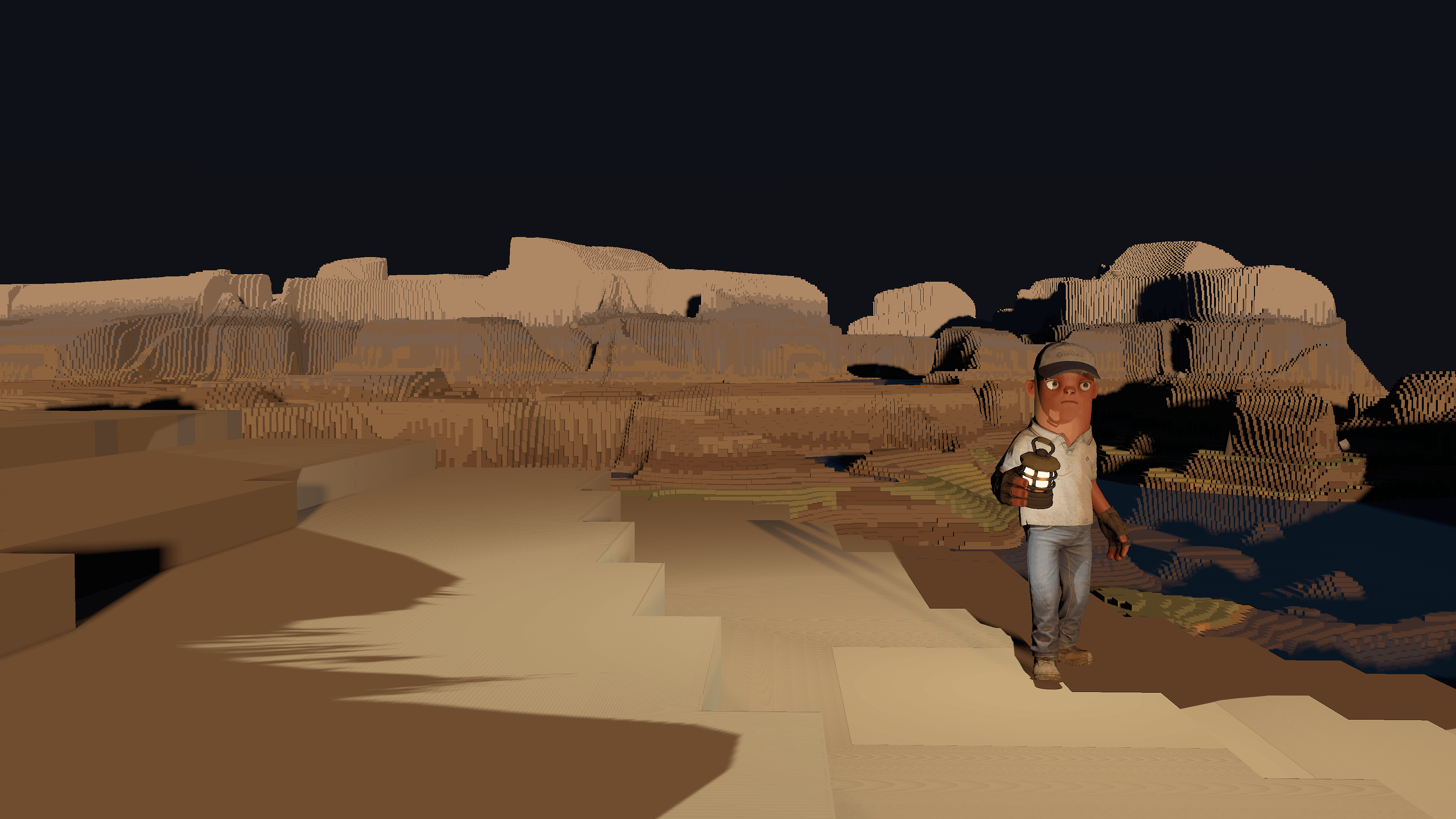
Builder walking the mesa at night, lantern in hand
field kits · s&box libraries · install via library manager

Tech from shipped games,
dropped into your project.

The Field Kits are s&box libraries pulled straight out of games I actually shipped: driving, accessory placement, onboarding, day and night, more as they ship. Install one and the source lands in your project, readable and yours.

01

How libraries work

a
You get the source
Install via Library Manager and every file arrives as plain C# and scenes. Read it, step through it, learn from it.
b
Delete what you don't need
It's your code once it's installed. Strip parts, rename things, bend it to your game. No upstream lock-in.
c
Every kit is self-contained
s&box libraries can't depend on other libraries, so no kit chain-drags dependencies in. One install, one folder.
02

Vehicle Physics Kit

live kitv0.4.1

A complete raycast-wheel driving stack: contact-normal suspension, slip-curve tires, a real drivetrain with assists, and a chase camera. Cars are data, the demo is blockout bodies, no art required.
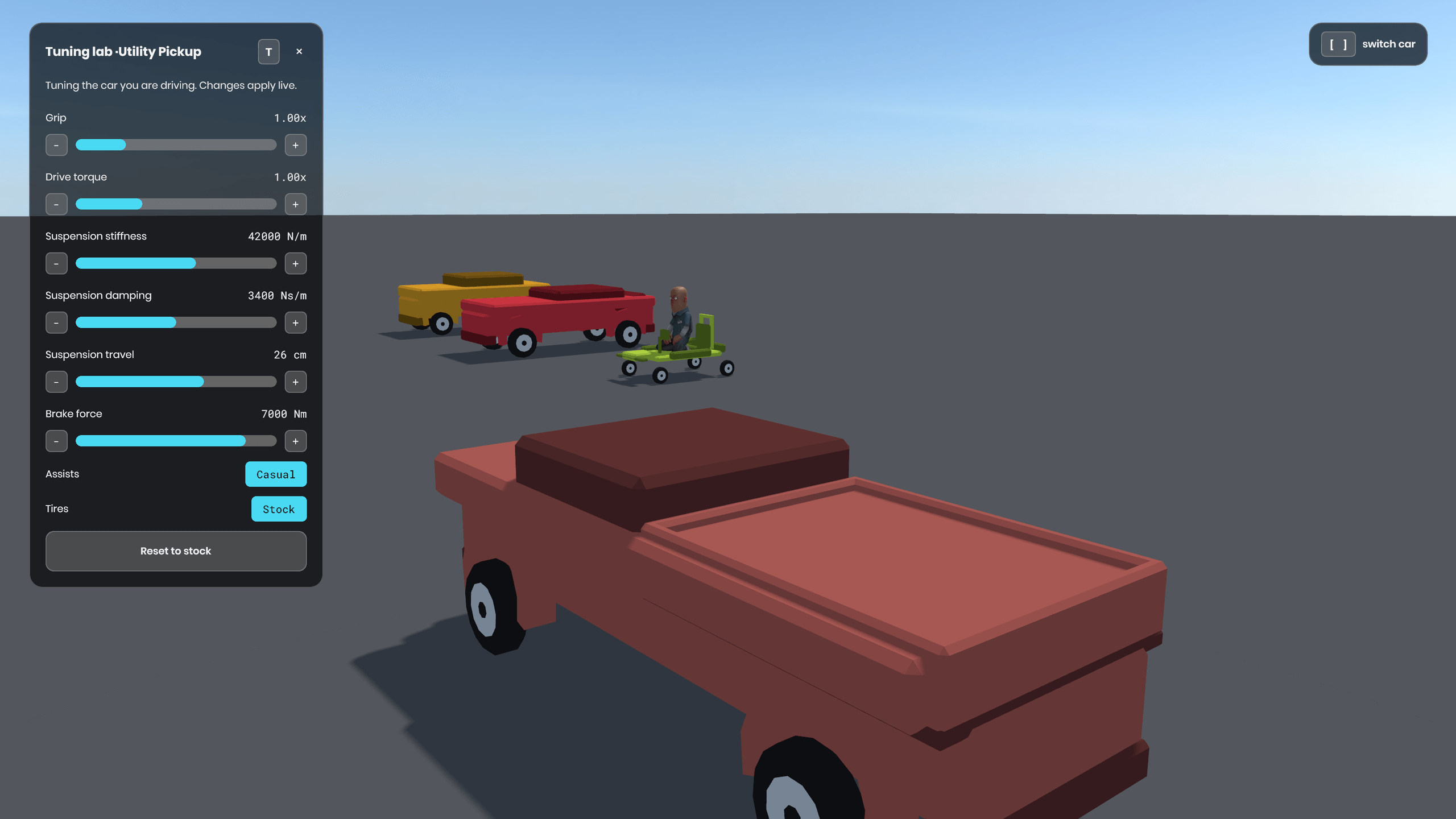
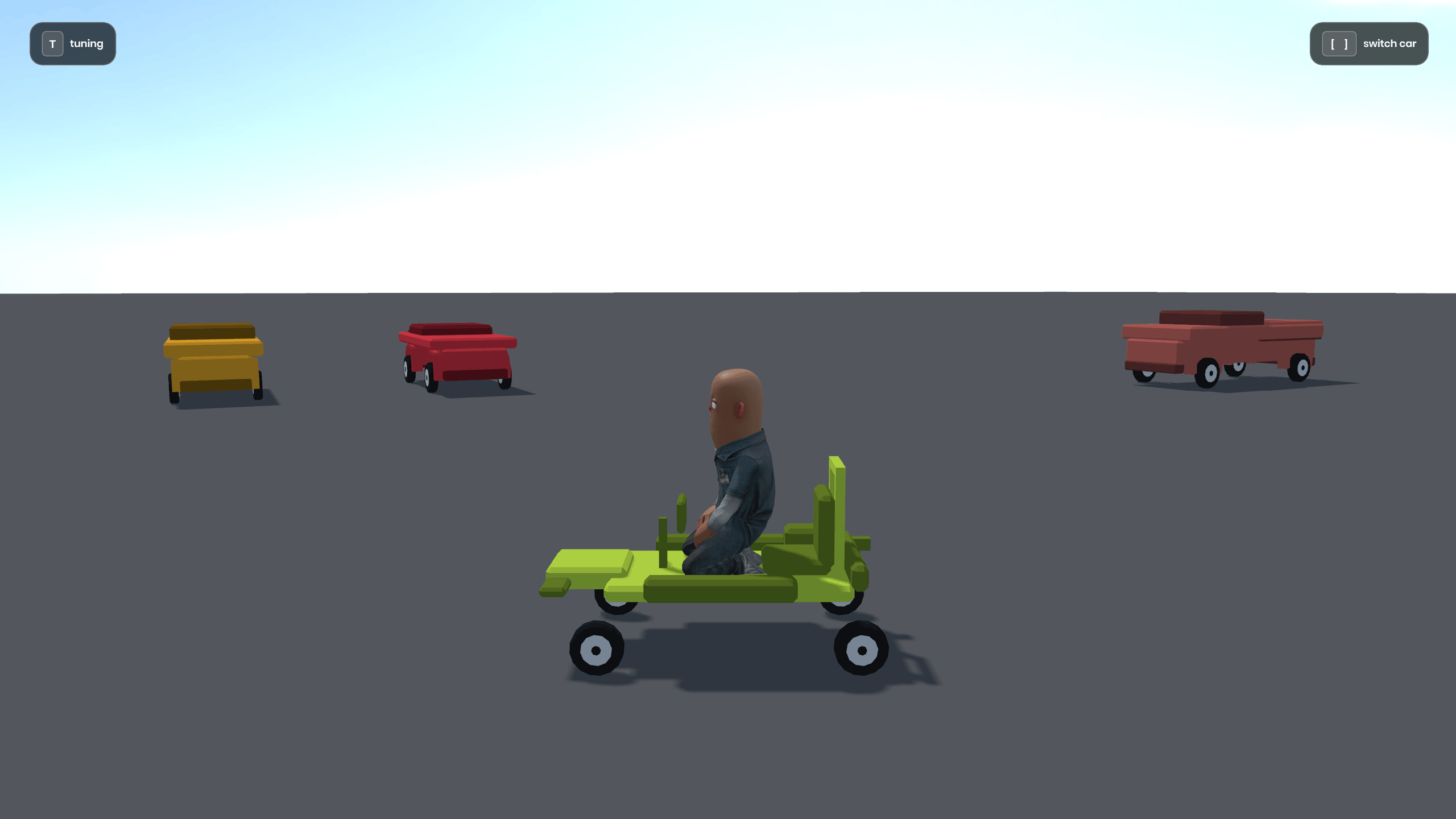
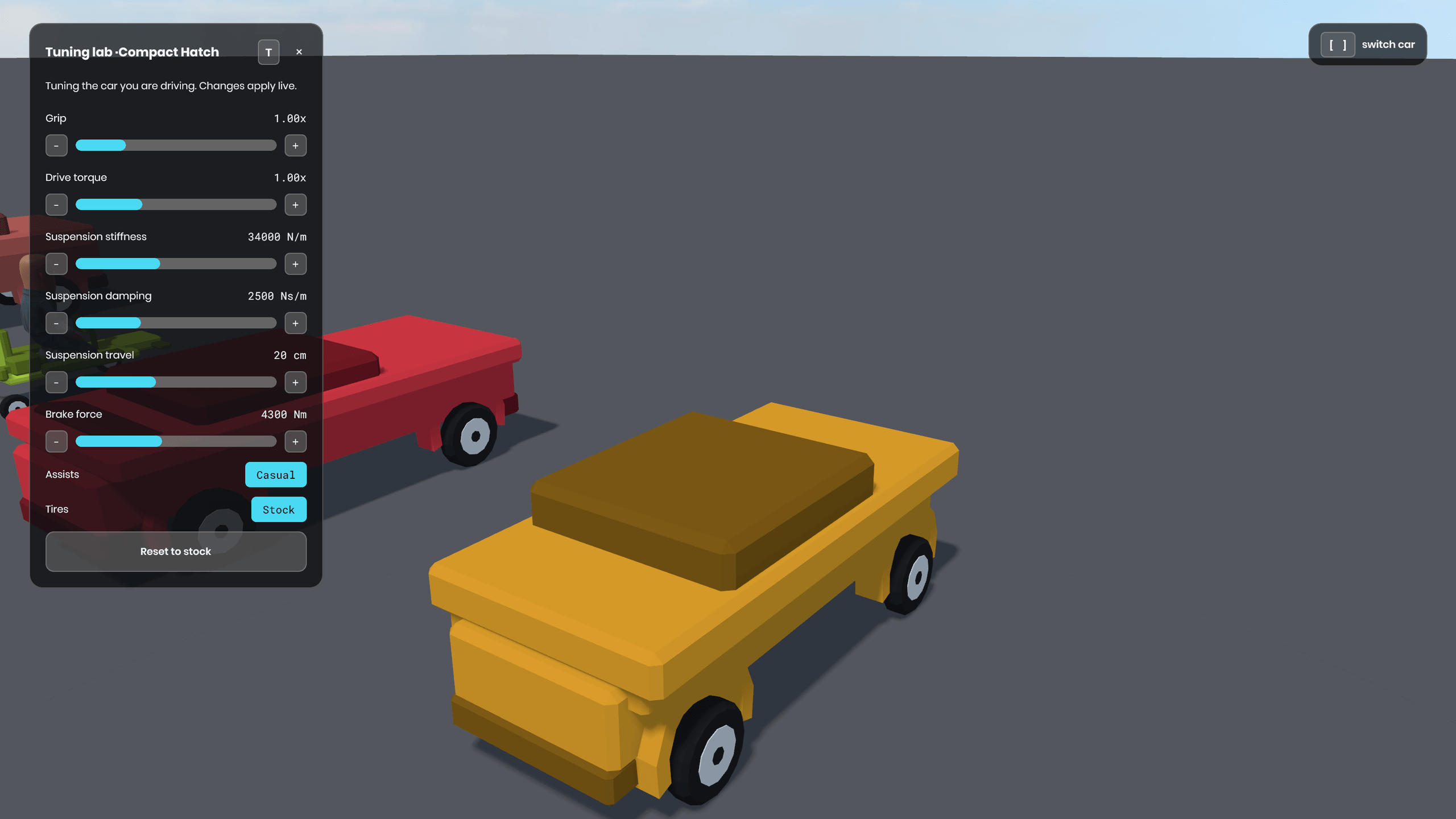
The tuning lab open over the Utility Pickup, the rest of the fleet and its driver behind
a
Raycast wheels that stay planted
Stable at speed, no rigidbody circus. Contact-normal suspension and slip-curve tires with a friction ellipse do the real work.
b
Cars as data
Every car is one CarDefinition: chassis, wheels, tires, drivetrain, brakes, assists. Change numbers, hotload, feel it.
c
Tune it while you drive
The demo ships a live tuning lab: grip, torque, suspension, brakes, tire compounds, and assists, all changing under you mid-drive. Press T and start dragging sliders.
d
Demo scene included
Install, open the bundled scene, press play: four low-poly cars on a kilometer of pad, brackets to hop between them. Zero art required.
e
MIT, and it installs as source
The kit lands in your project as readable C#, not a compiled dependency. When a default fights your game, open the file and change it. The whole stack is yours to cut apart.
# install via Library Manager
1. editor menu: view → library manager
2. search fieldguide.vehiclephysics
3. install: source lands in your Libraries folder
03

Placement Kit

live kitv0.1.1

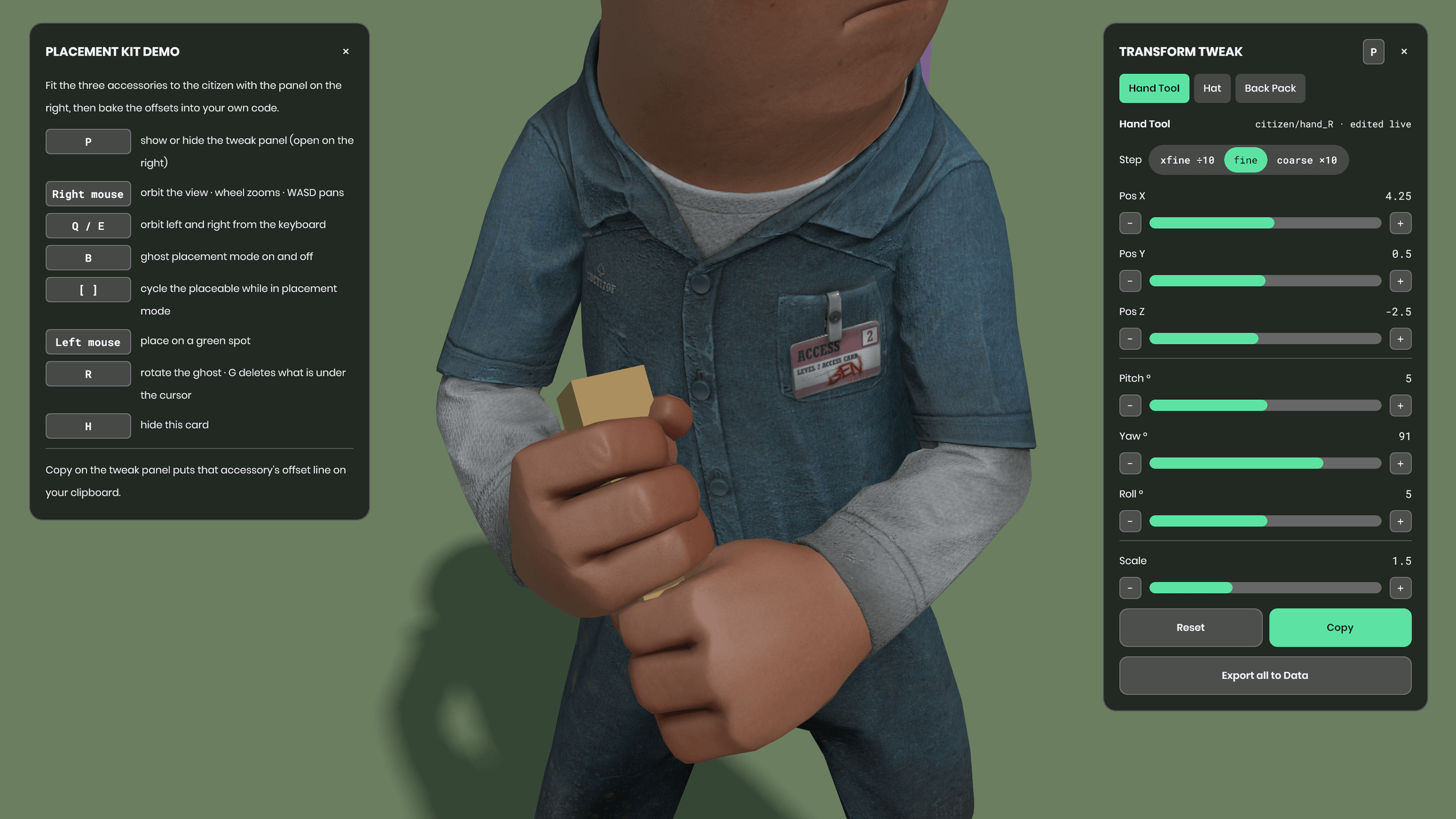
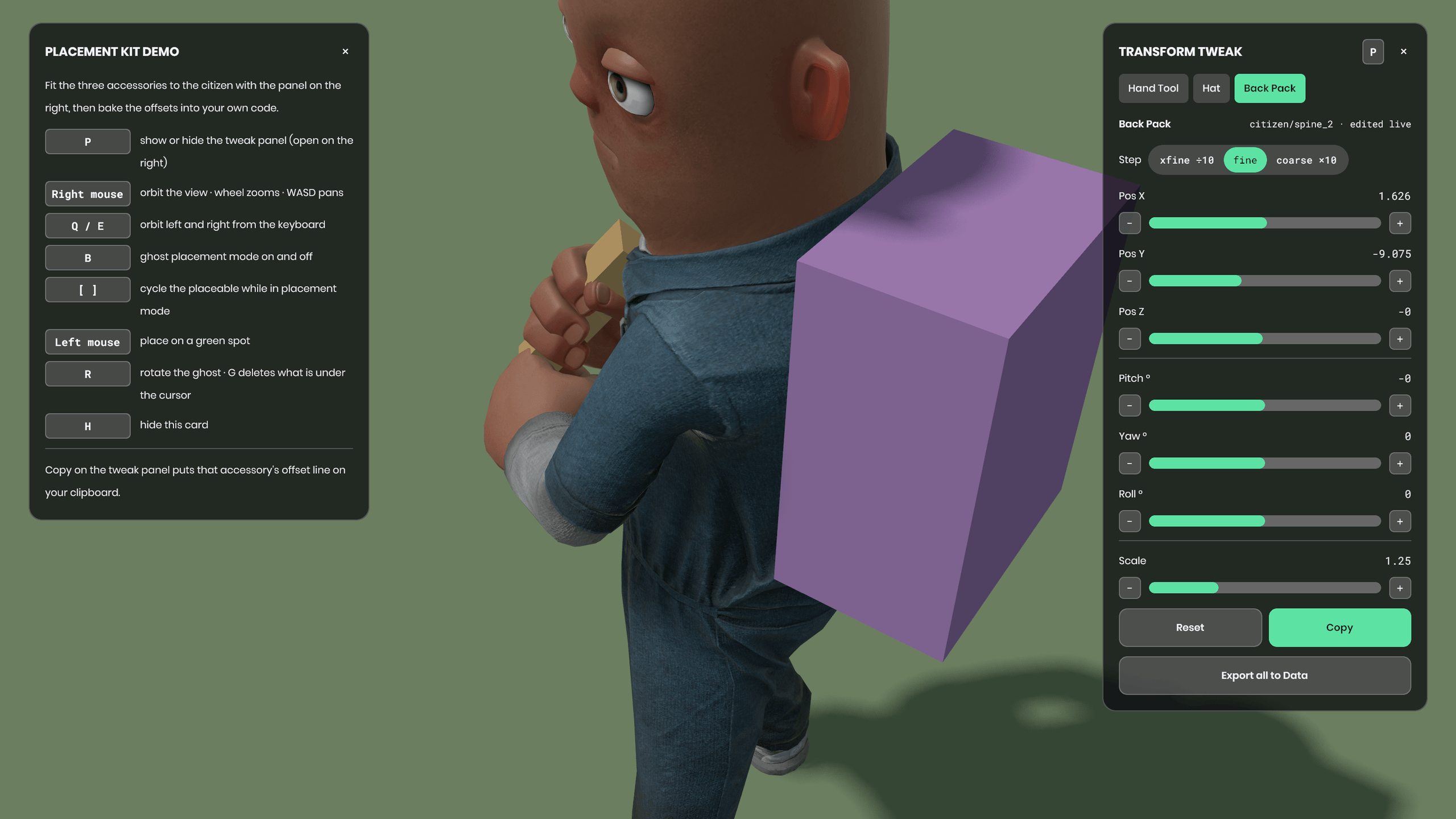
A hat, a backpack, a held tool: each one needs a position, a rotation and a scale relative to the bone it hangs off. Drag the sliders in the running game, press Copy, paste the finished line into your code.
a
Fit accessories while the game runs
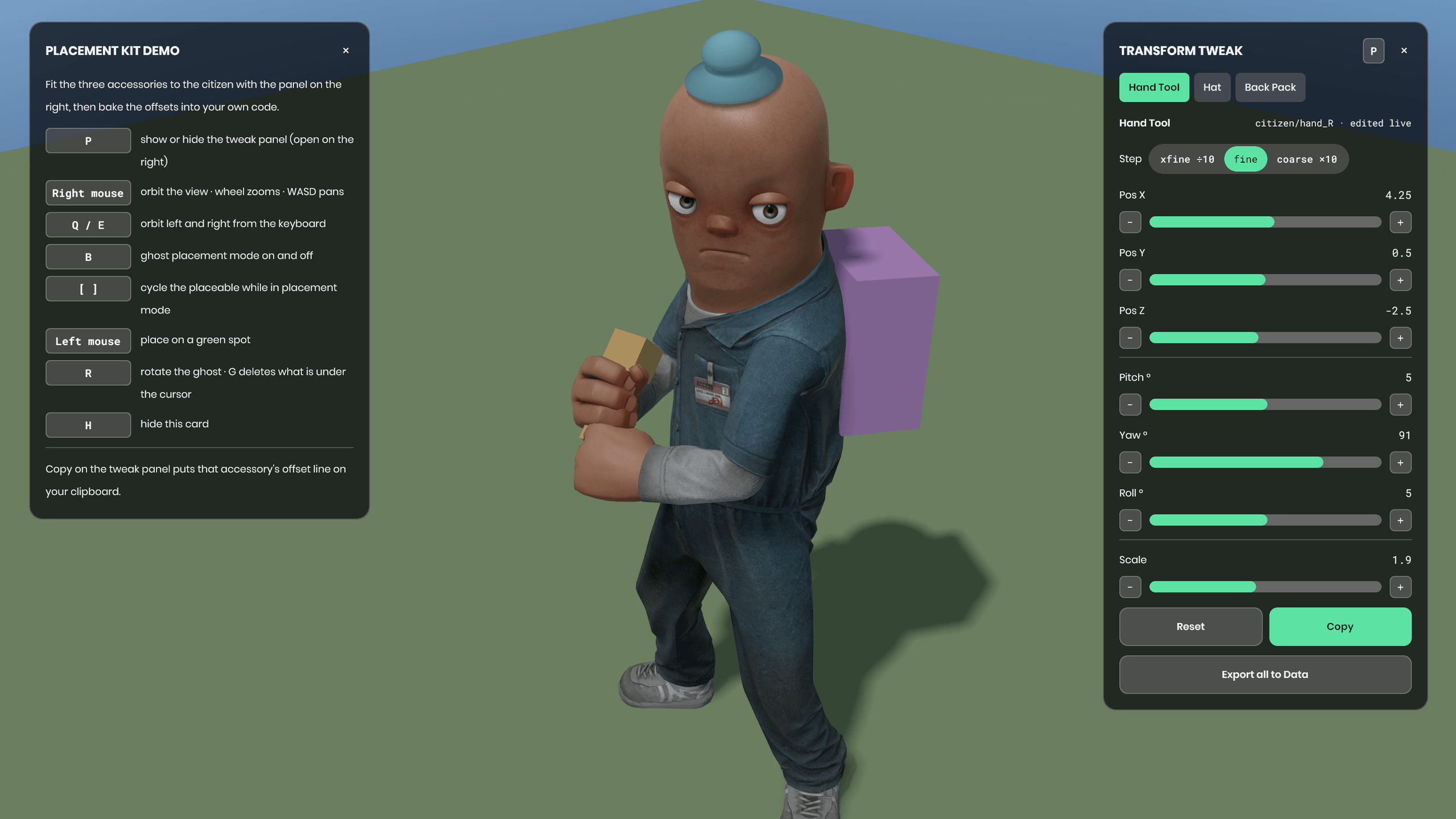
Position, pitch, yaw, roll and uniform scale, all written to the object's local transform, with xfine, fine and coarse steps that land on 0.025 of a unit. What moves is the offset, not the character, and Reset returns to the registered transform.
b
Copy hands you the finished line
One click puts a PlacedOffset line on your clipboard with the frame it was measured against in the comment above it. Paste it in, call ApplyTo, done.
c
Mounts resolve by attachment or bone
CharacterAttachPoint tries model attachments first (hold_R, hat), then bones (hand_R, spine_2), then falls back to the character root so a renamed attachment never leaves you staring at an empty screen.
d
Demo scene included
A dressed citizen with a tool in hand, a hat and a pack, tweak panel already open, key card on screen. Every model it uses ships with the engine, so you need no art to start.
e
Ghost placement and bulk export
Press B to place props with the mouse, green where your validity check allows them. Export all writes placement_export.json and placement_export.cs with both the character-relative offsets and the world-space placements.
The demo citizen with tool, hat and pack fitted, tweak panel open at the right
# install via Library Manager
1. editor menu: view → library manager
2. search fieldguide.placement
3. install: source lands in your Libraries folder
04

Tips Kit

live kitv0.5.0

A HUD coach that shows one onboarding tip at a time and retires it the moment the player does the thing it teaches. The headline is the Tips Studio: press a key in play and you write your tips inside your own game, watching the real card change as you type.
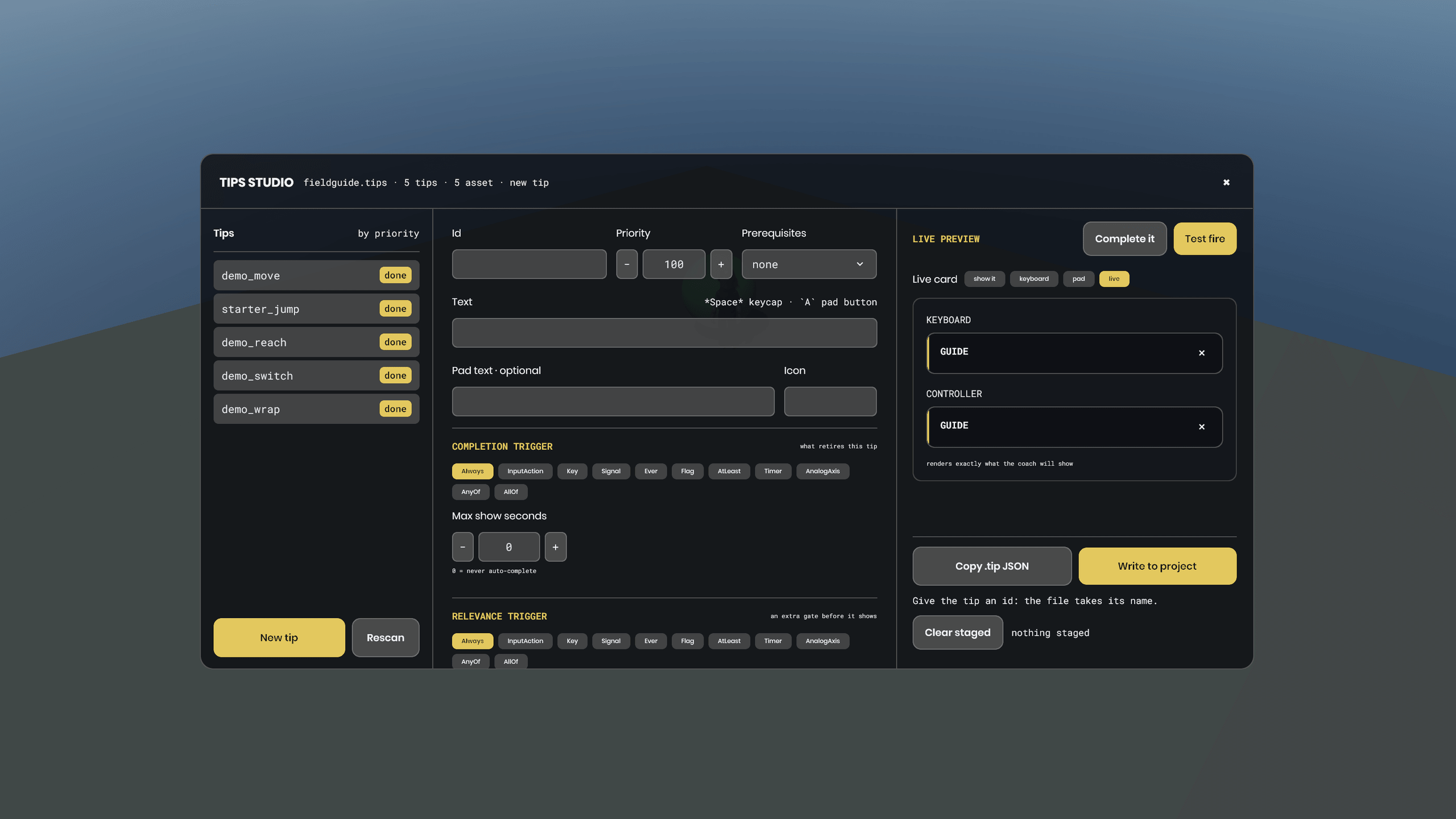
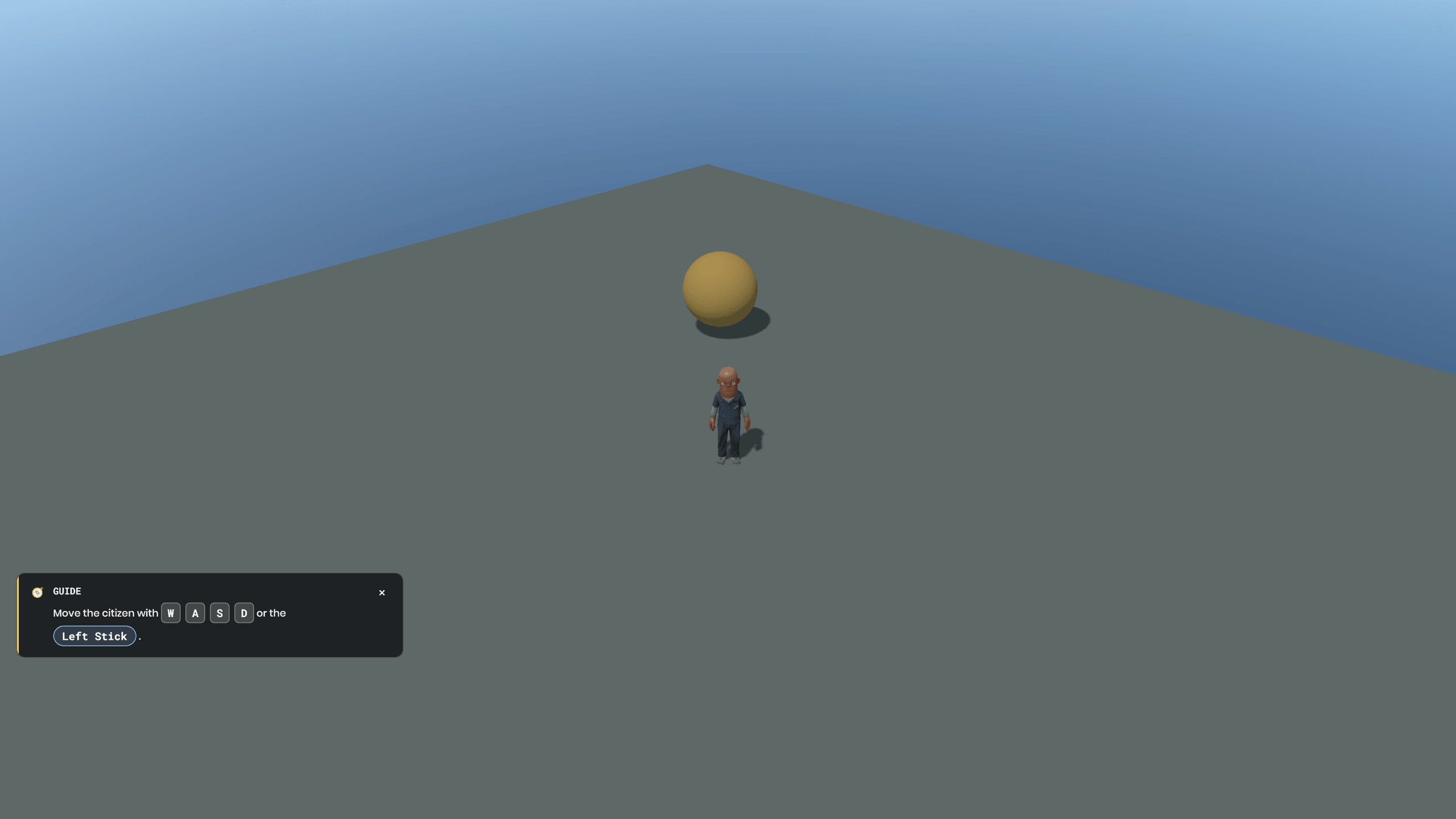
The Tips Studio open in play: tip list, editor fields, and the keyboard and controller previews
a
Write your tips inside the running game
Press T in play and the Tips Studio opens: your catalog on the left, the tip you are writing in the middle, and the real card on the right. Not a mockup: TipsDisplay with your stylesheet, drawn once for keyboard and once for controller, so the pad wording is in front of you without owning a pad.
b
Trigger picker fed by your own input actions
Pick InputAction and the list is your project's actions read from the engine, not a list the kit invented. Every trigger kind shows only the fields it actually reads, and the notes flag a trigger that can never fire.
c
Test fire it before you keep it
Test fire makes the draft the live tip under its own id and puts it on screen. Do the action in the game and it retires for real, or press Complete it. Whatever waits on that tip becomes eligible, so a prerequisite chain advances in front of you.
d
Copy .tip JSON, or write the asset
Copy .tip JSON puts the file's exact bytes on your clipboard from in game. Write to project stages it, then the editor's Field Guide menu action turns every staged tip into a real .tip asset under Assets/tips. Edit one afterwards and the change reaches the running session with no restart.
e
Demo scene included
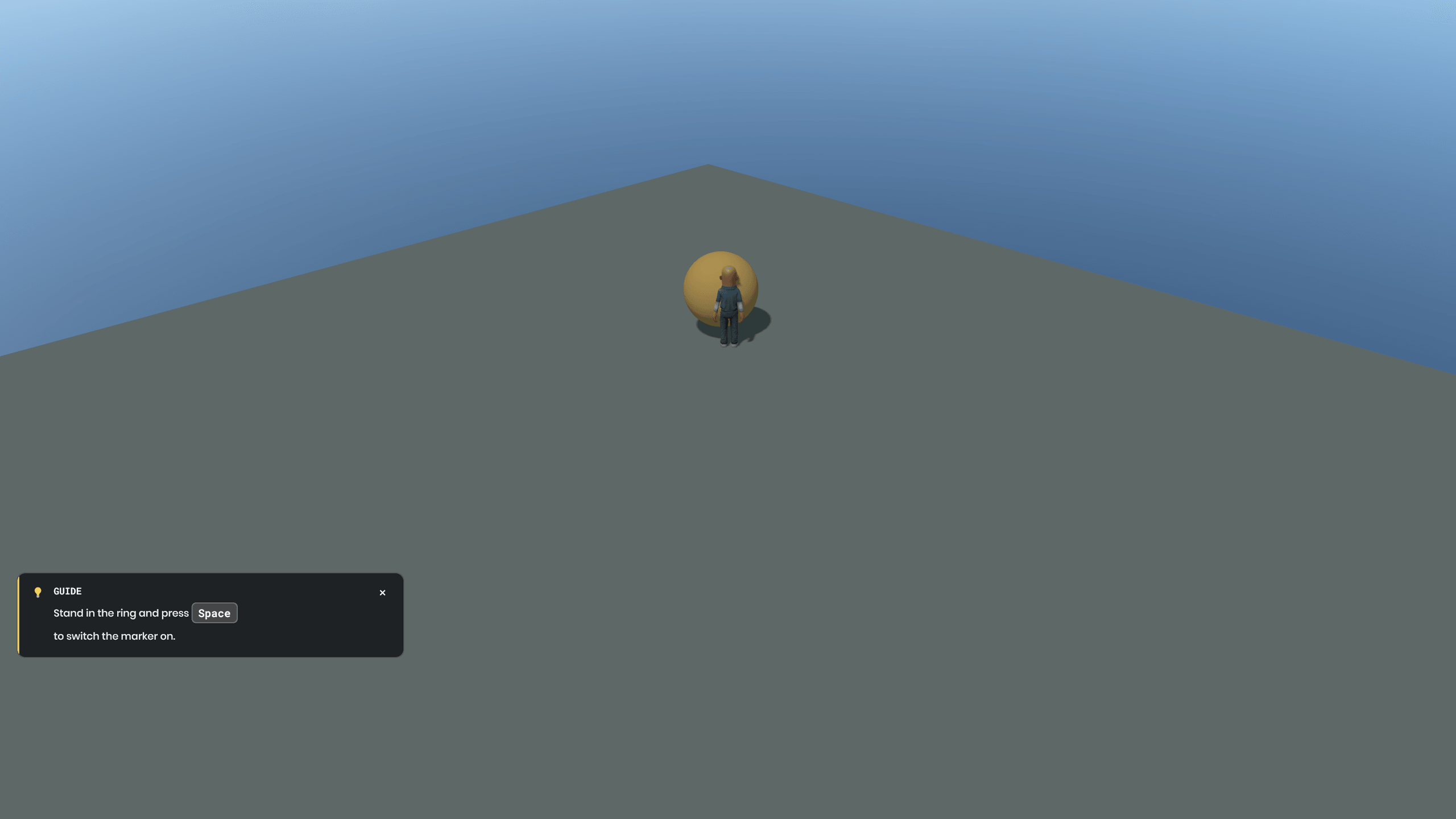
Five tips, a coached citizen who walks, jumps and switches an amber marker on, and a last card that asks for T and retires when the Studio opens. Every model in it ships with the engine, so nothing to install and no art to make.
# install via Library Manager
1. editor menu: view → library manager
2. search fieldguide.tips
3. install: source lands in your Libraries folder
05

Day Night Kit

live kitv0.1.0

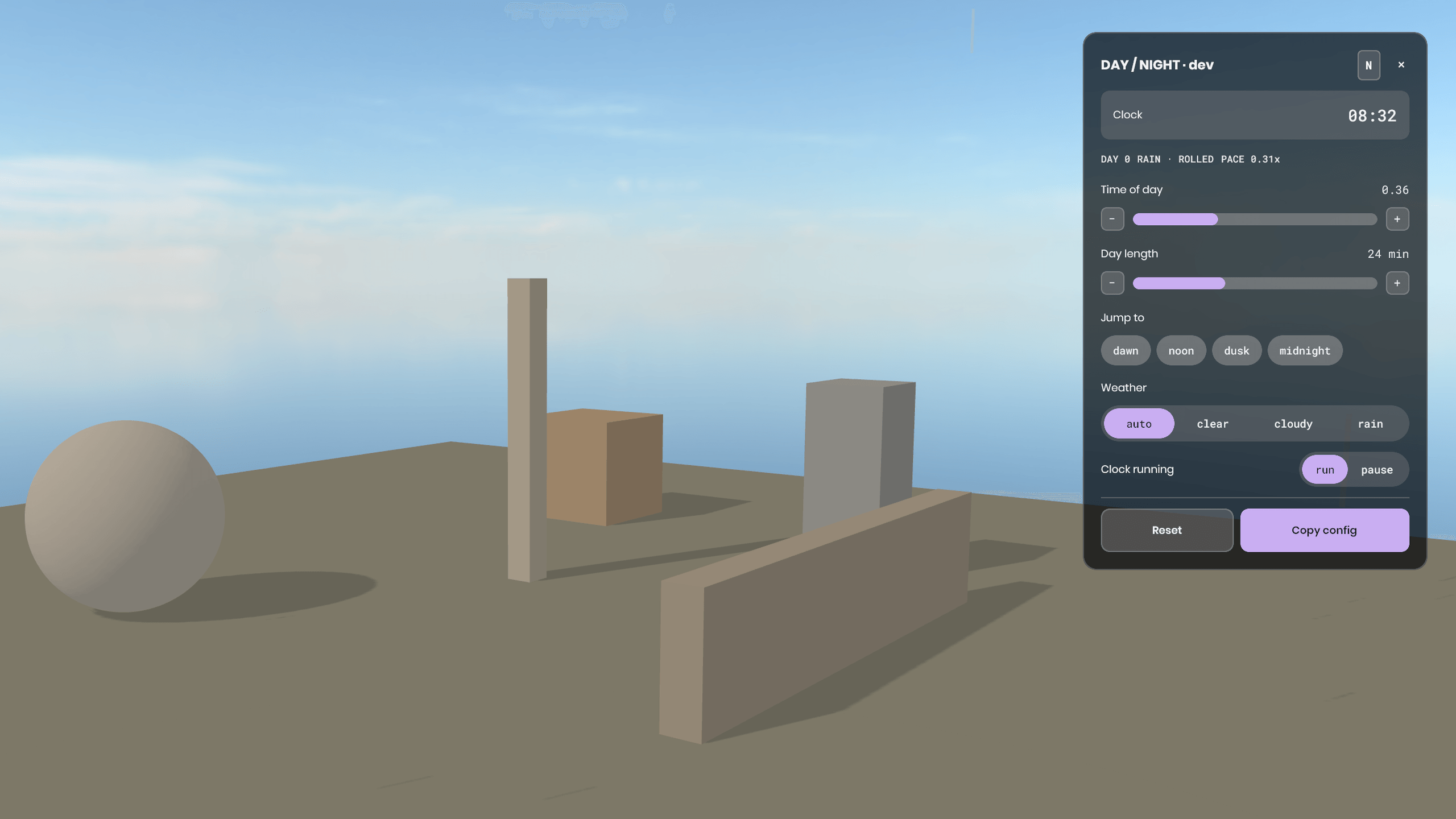
A day/night clock the host runs and every client follows, pause included. The sun and sky grading is pure maths: feed it a game-hour and the day's weather and it hands back a sun rotation and four colour grades. Weather is a hash of your world seed and the day, so peers agree without a packet.
a
The host owns time, clients follow it
The host advances game-time and publishes it; clients observe and extrapolate between updates so the sun never stutters. Pause travels correctly, so a paused host no longer leaves every client free-running through a whole day on their own.
b
Sun and sky grading with no state in it
Give the grader an hour and the day's weather and you get a sun rotation and four colour grades back, exact at your reference hour and blended through twilight so dusk never snaps. It never touches camera exposure, so night renders genuinely dark instead of fighting a locked exposure.
c
Weather every peer agrees on, and a seam for your sky
Clear, cloudy or rain comes out of a hash of your world seed and the day, so nothing about weather needs networking. The kit ships no sky shader and no sky art on purpose: what it hands you is four crossfade weights per hour to drive your own sky however you like.
d
Scrub the day while the game runs
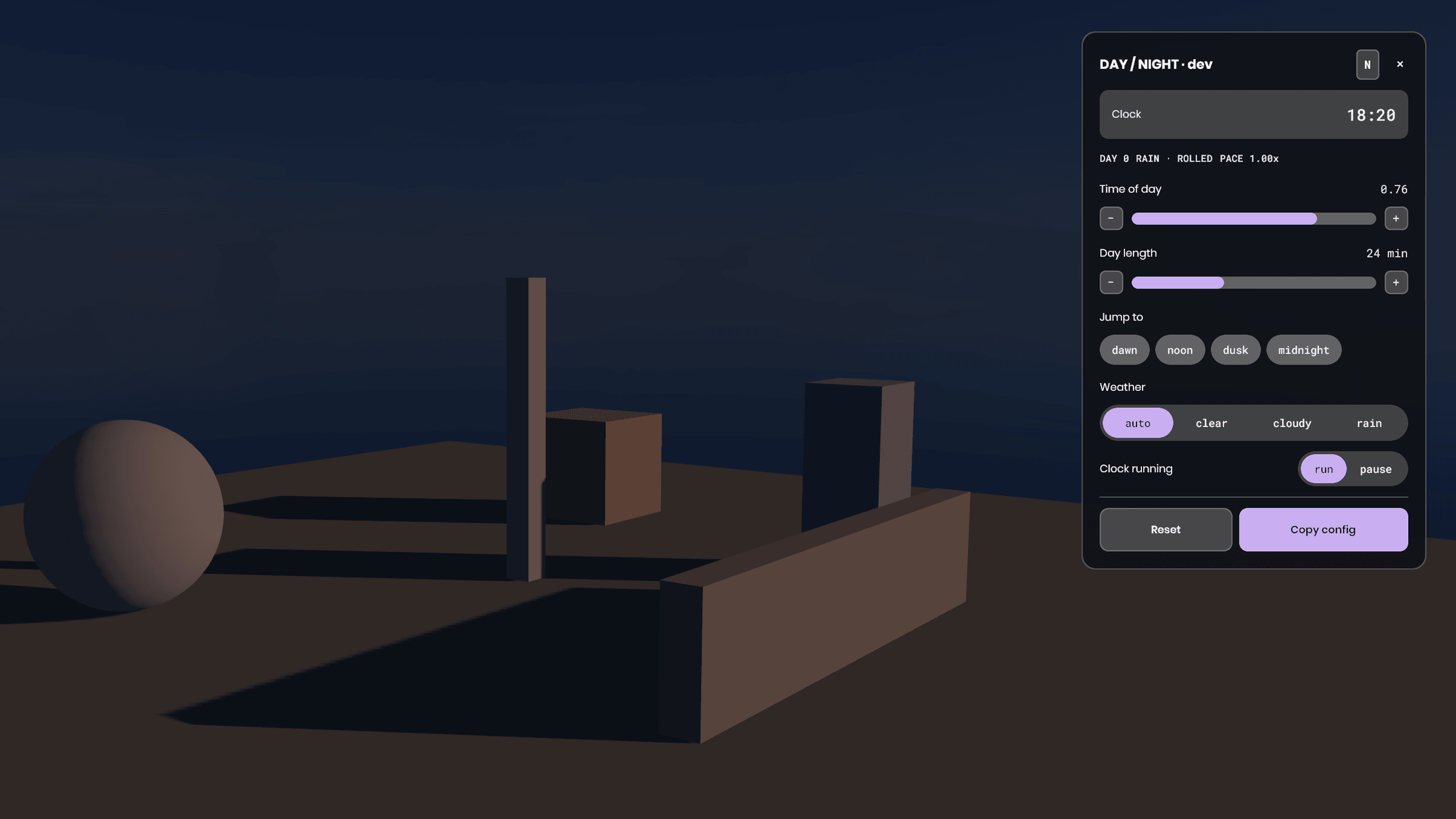
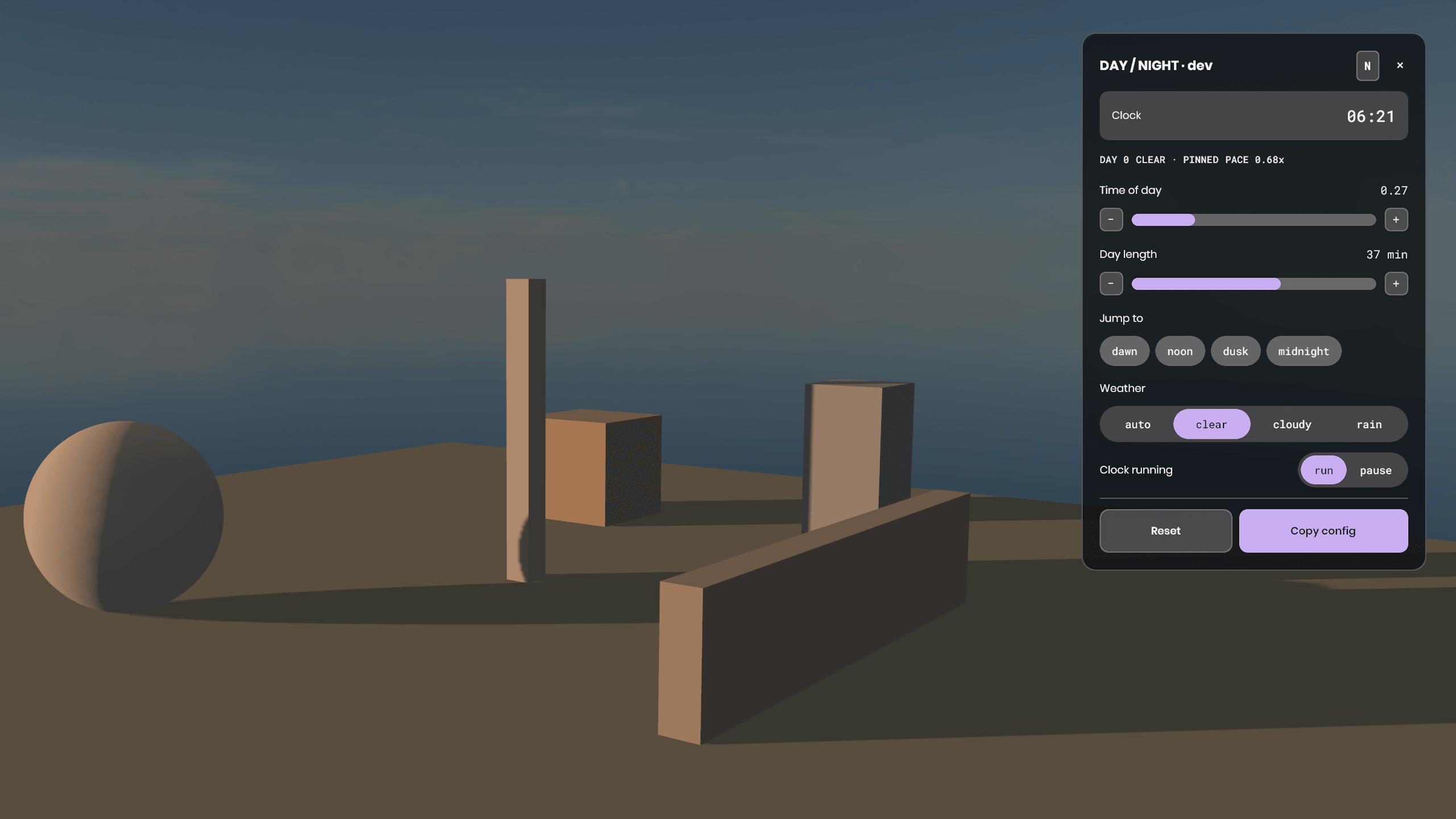
Press N for the dev time panel: drag the clock, change the pace, jump to dawn or dusk, pin the weather, hold time. Copy config puts the tuned numbers on your clipboard as C# you can paste. Delete Code/Ui and nothing else notices.
e
Demo scene included
Four real minutes to the in-game day, so you watch a full cycle instead of waiting for one: the sun sweeps, the shadows swing, dusk warms, night goes properly dark. It prints the live sky weights too, which is the only way to see the seam working in a kit with no sky art.
The demo scene at dawn, low sun raking across the yard with the time panel open
# install via Library Manager
1. editor menu: view → library manager
2. search fieldguide.daynight
3. install: source lands in your Libraries folder
06

On the bench

Sound Mixer Kitcoming soon
Import your own sounds, wire them to things in the world, and mix them without leaving the editor.
And a few moretaking shape
Pulled from whatever I am building when a piece proves useful on its own. Names when they are close, not before.

Want to know when new guides or fixes drop? Join the community to help build this out. Report gotchas, flag outdated fixes, or just lurk.

Join the Discord